Configuring Basic Authentication for Jira 10.x and above
If your Jira environment uses the dark feature public.access.disable=true, you need to enable Basic Authentication in QMetry Test Management for the Jira integration to work correctly.
This configuration applies only to QMetry Test Management Server integrated with Jira Data Center 10x.
When this Jira setting is enabled, QMetry must send authenticated requests to the QMetry Jira integration app. To support this, QTM provides the Basic Auth for DC (public access disable=true) option in the integration settings.
Note
Enable this option only if your Jira instance has public.access.disable=true enabled.
Before you Begin
Make sure the following conditions are met:
Jira is integrated with QMetry.
You have administrator access in Jira.
You have access to Integration Settings in QMetry.
The Jira dark feature public.access.disable=true is enabled
Step 1: Verify the Jira dark feature setting
To use this configuration, Jira must have the following dark feature enabled:
public.access.disable=true
To verify this setting in Jira
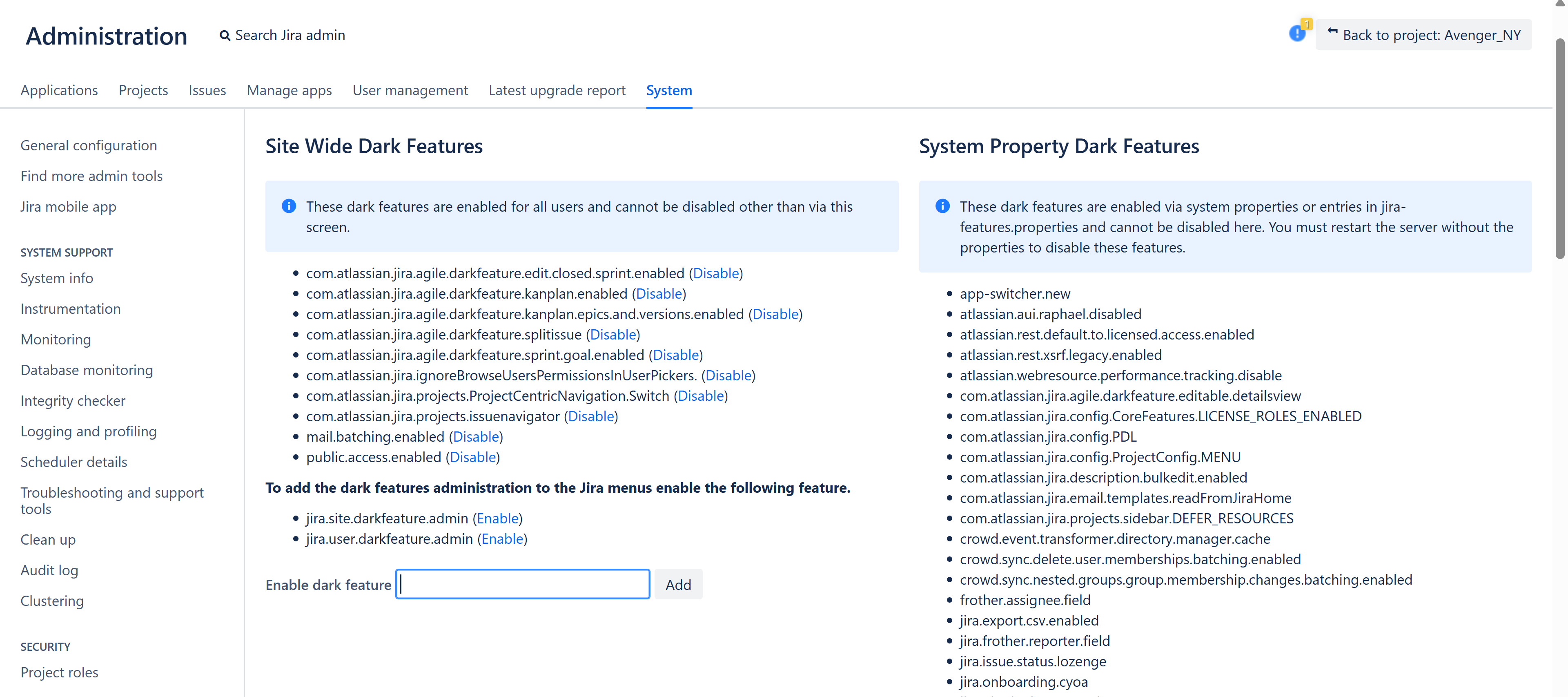 |
If this property is enabled, proceed with the QMetry configuration described below.
Note
If this property is not enabled, you do not need to enable Basic Authentication.
Log in to Jira as an administrator.
Open the Site-Wide Dark Features page.
In Jira 10.x, if you open the older dark feature URL, Jira redirects you to the Site-Wide Dark Features page.
Under Site-Wide Dark Features, check whether the following property is enabled:
public.access.disable=true
Step 2: Enable Basic Authentication in QTM
After confirming that public.access.disable=true is enabled in Jira, enable the corresponding setting in QMetry.
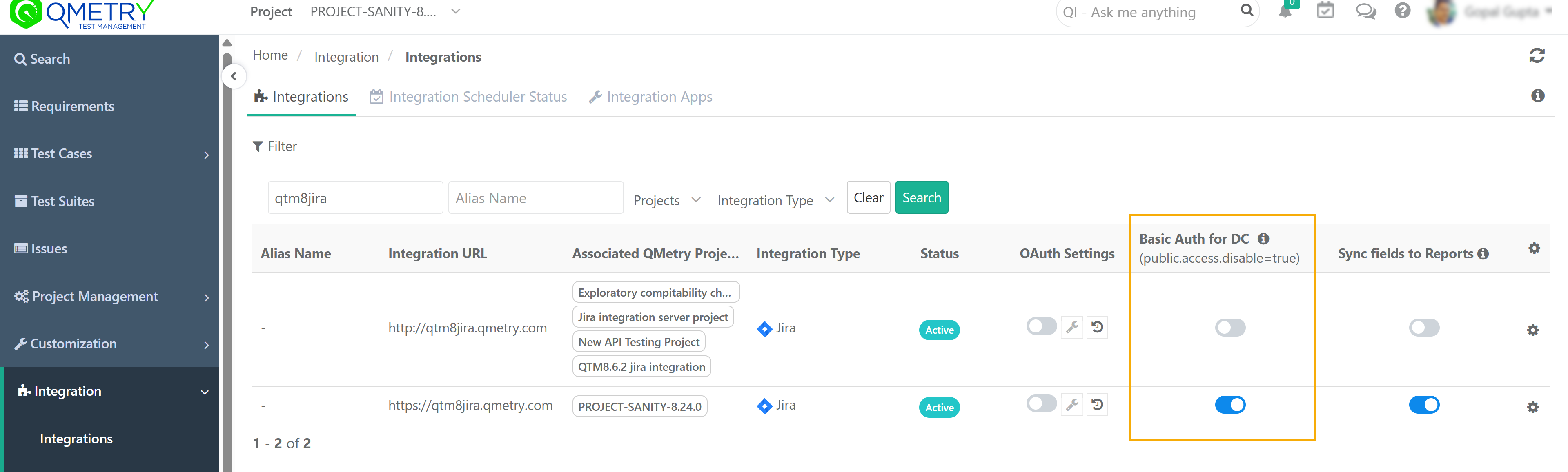
To enable the setting
 |
Open QMetry Test Management.
Go to Integration Settings.
Locate the integration entry for your Jira connection.
Find the column:
Basic Auth for DC (public access disable=true)
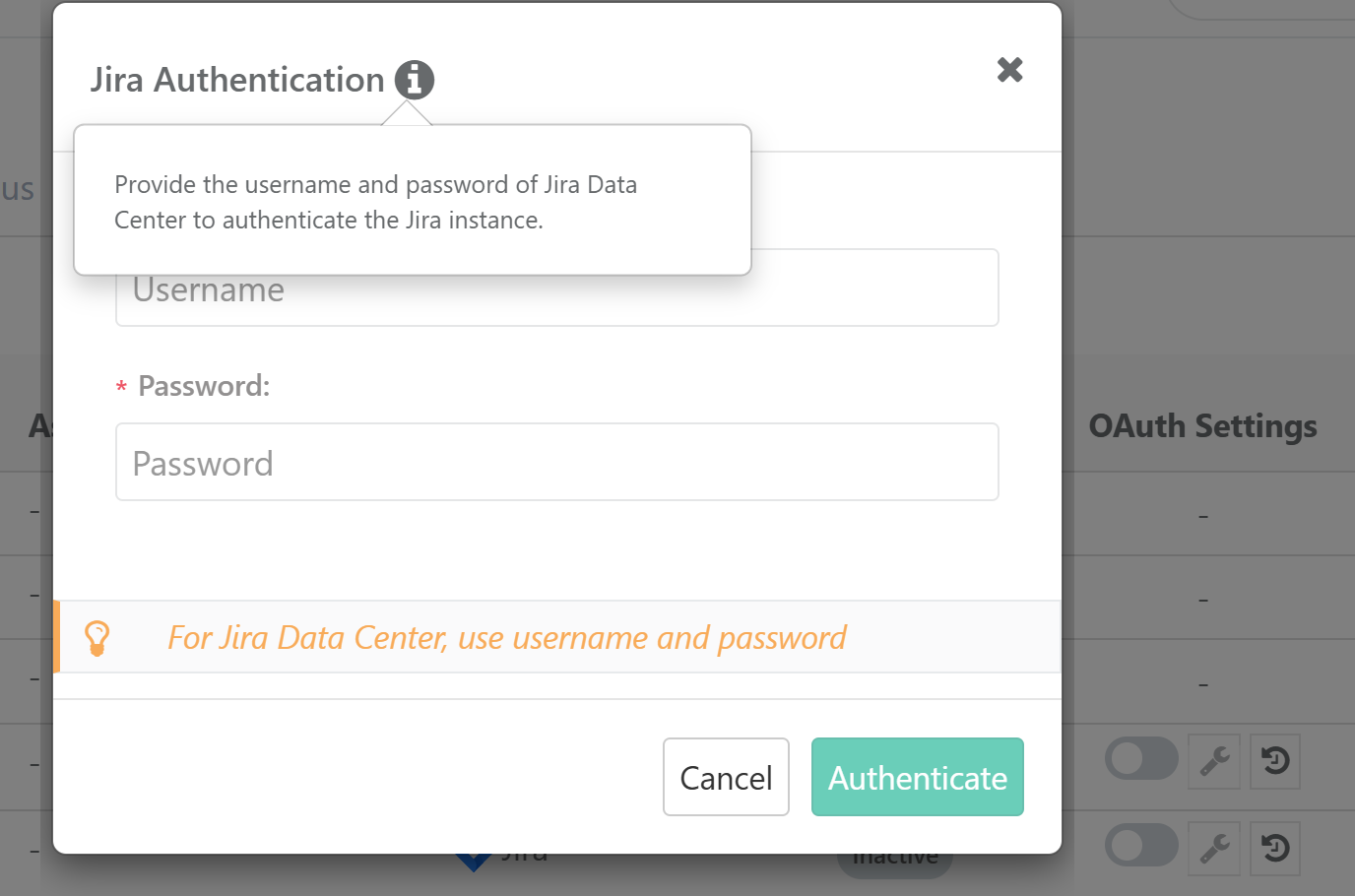
Complete the Jira authentication to enable this option.
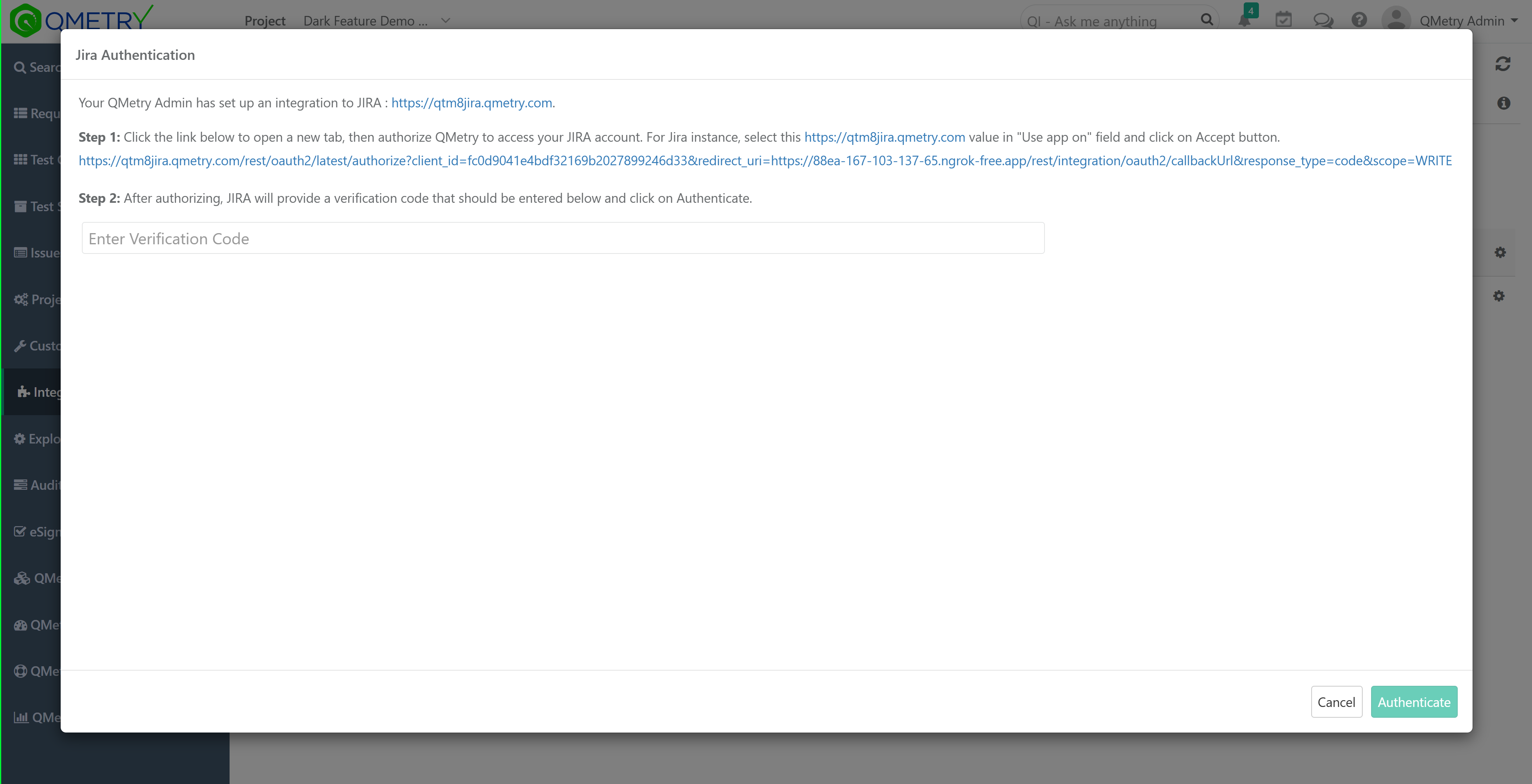
In case, you have OAuth enabled, enter the verification code from Jira.
When enabled, QTM includes Basic Authentication credentials in requests sent to the Jira add-on.
Disabling the Setting
Disable this setting only if:
public.access.disable=true is no longer enabled in Jira, or
your Jira environment no longer requires this authentication behavior
Note
Disabling Basic Authentication disrupts the integration between QMetry and Jira when public.access.disable=true is enabled.