Issue Trends
Note
The Issue Created vs. Resolved (Cumulative) report shows only QMetry issues and does not include data from QMetry projects synced with Jira.
You can generate Issue Trends reports for multiple projects and view details across them.
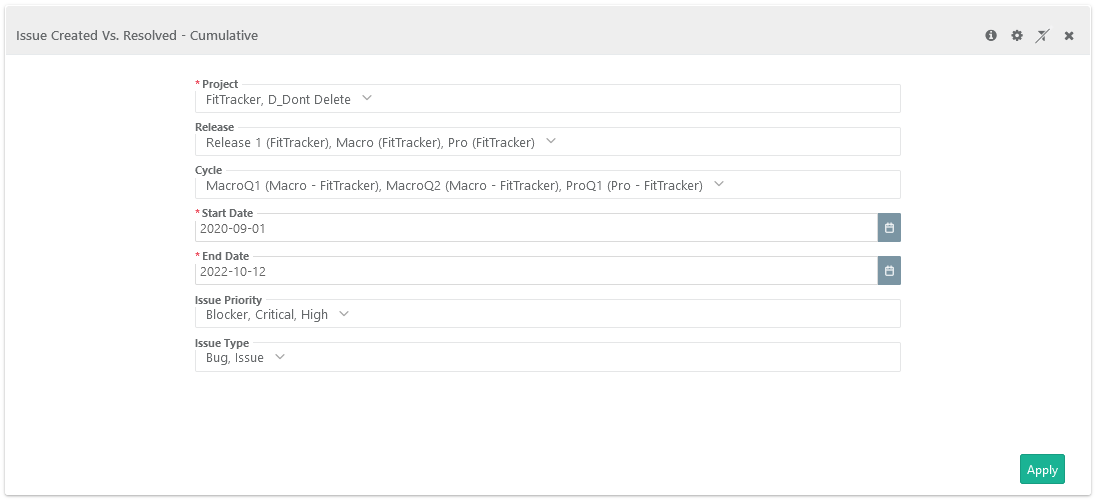
Project: Select one or more projects to generate the report.
Release: Select releases on the list.
Date Range: Provide Start Date and End Date either directly typing in the field or using the calendar.
Select Issue Priority and Issue Type.
Click Search.
Global Filters
You can apply unified filters for project, release, cycle, start date, end date, issue priority, and issue type across all issue trends reports using the global filters.
 |
Issue Trends Matrices
Issue Created Vs. Resolved - Cumulative
The report is a line chart that shows the trend of issues being logged and resolved over time. It compares issue creation with resolution during the same period.
It helps QA managers ensure that issues are resolved at the same pace they are created. Ideally, the graph should resemble a burn-down chart, with a small gap between created and resolved issues.
At the project level, you can configure which issue statuses are treated as Resolved.
When you select multiple projects with different resolved status settings, the report shows issue data for each project accordingly. It is generated based on the status set as the Default Resolved Status.
To view the count for Created Issues and Resolved issues, hover the mouse over corresponding lines.
 |
Filter Report:
Click the Filter icon on the individual chart to generate the required report.
Note
“Releases” apply only to internal module issues and not to Jira issues.
 |
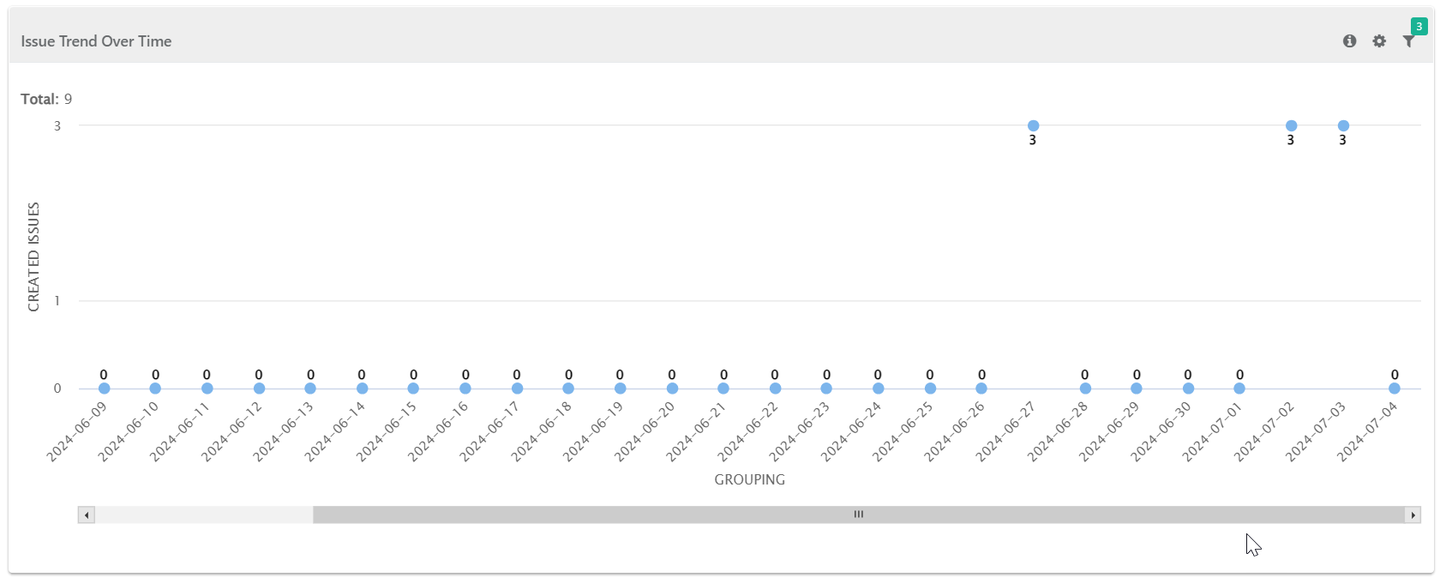
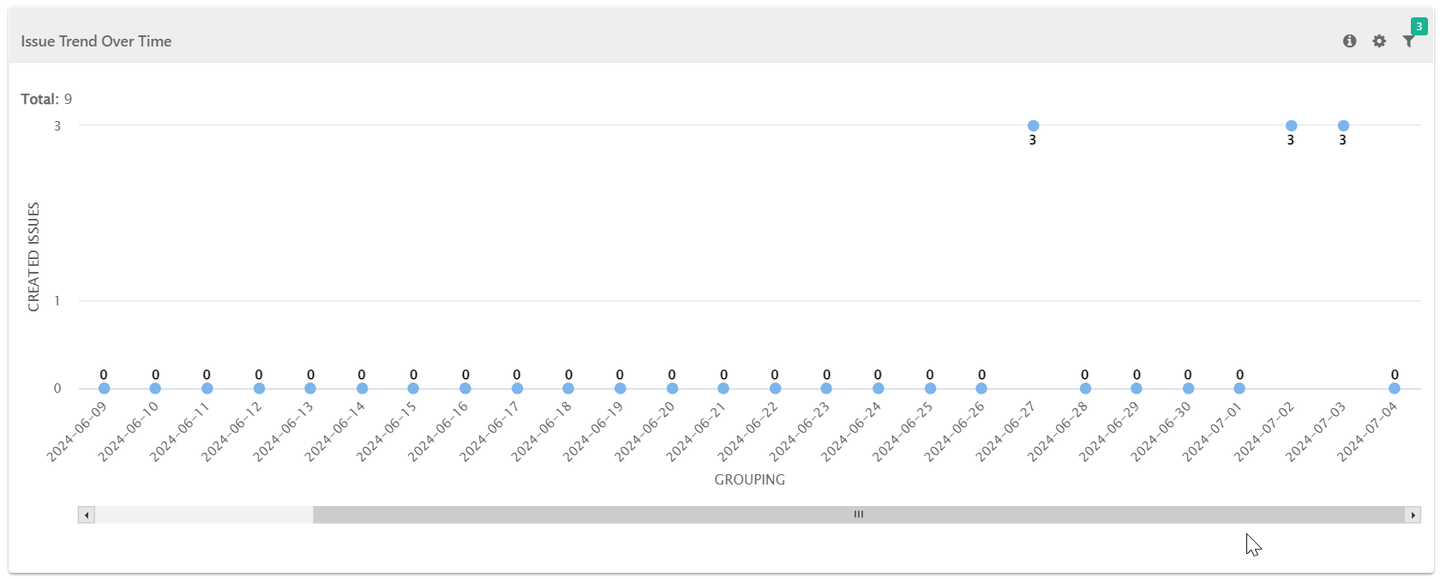
Issue Trend Over Time
This report shows line graph displaying the count of Issues created (on Y-axis) and Creation Date (on X-axis).
 |
Filter Report:
Note
“Releases” apply only to internal module issues and not to Jira issues.
Click the Filter icon on the individual chart to generate the required report.
Issue Open Vs. Closed - Cumulative
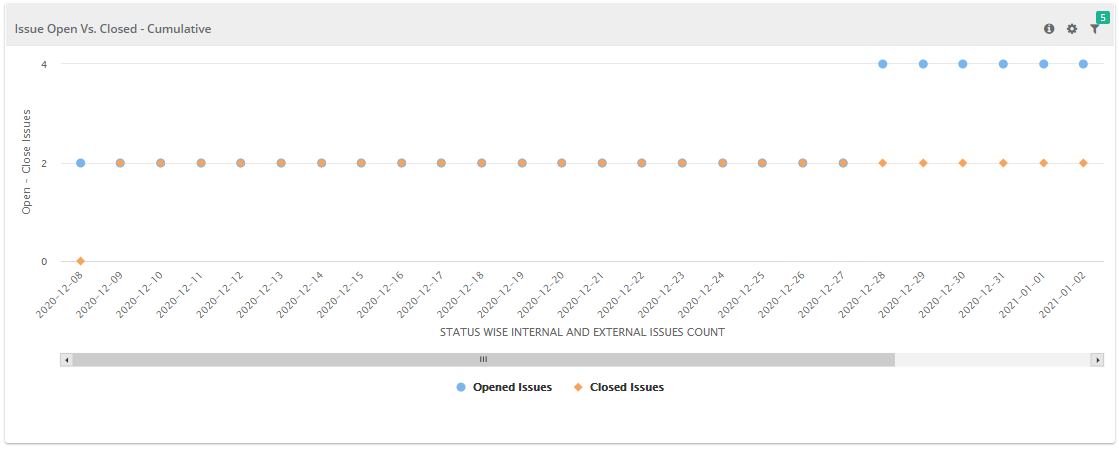
This report shows a line graph of issues in “Open” and “Closed” states. The counts are cumulative—for example, if there are 3 open issues on May 11 and 4 more are added on May 12, the total becomes 7.
Users can select Open and Closed statuses. If an issue’s status changes, the report uses both the status change date and the current status
 |
Filter Report:
Click the Filter icon on the individual chart to generate the required report.
Note
“Releases” are associated with the Internal module issues and not with the Jira issues. Hence, skip selecting the Release filter in case of Jira issues.