Automation Permissions
Note
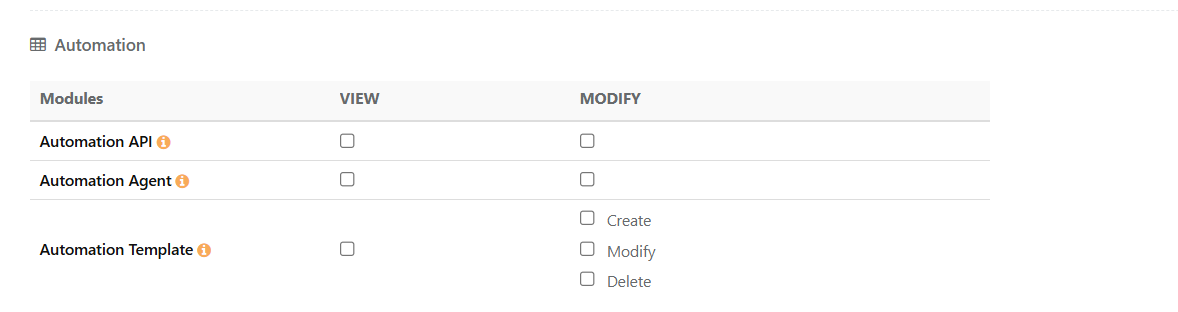
Starting in version 8.27, permissions have been enhanced with granular access control. Upgrade to version 8.27 or later to use this feature.
Automation permissions are fully independent of Integration and Open API permissions. Users with “Modify” rights on the relevant sub-permissions can import automation results and create assets in QMetry.
 |
Note
A role that previously had View Automation permissions receives View on both Automation API and Automation Agent. A role that previously had Modify Automation permission receives Modify on both Automation API and Automation Agent. No manual reconfiguration is required for existing roles to retain their automation access.
Automation API
The Automation API permission controls access to the Automation API page and the generation of the Automation API key used to schedule automation run imports
Permission | Implication |
|---|---|
View | You can view the Automation API page, but you cannot generate or regenerate the Automation API key. If a key already exists, you can view it and use it to schedule automation run imports. |
Modify | You can view the Automation API page and generate or regenerate the Automation API key. You can perform all Automation API operations. |
Automation Agent
The Automation Agent permission controls access to the Automation Agent page and the key used to register agents, trigger runs, and manage schedules.
Permission | Implication |
|---|---|
View | You can view the Automation Agent page. You can run and execute using an automation agent, and able to view, update and delete schedules |
Modify/Execute | You can view the Automation Agent page and generate or regenerate the Automation Agent key. You can perform all Automation Agent operations, including triggering the Automation Agent, registering, modifying, and deleting agents, and modifying or deleting schedules. |
Automation Template
The Automation Template permission controls whether users can create, modify, and delete automation templates.
Permission | Implication |
|---|---|
View | You can view the Automation Template page and see existing automation templates. You can use Custom Template in Automation API, if you have access to Automation API. |
Create | You can create automation templates. |
Modify | You can modify automation templates. |
Delete | You can delete automation templates. |