Reusability Report
The Reusability Report is provided to boost the efficiency of the testing team with traceability, reusability, and visible linkages with other test assets.
Reusability of a test case refers to the number of times that particular test case is associated with different requirements across projects. QMetry allows you to associate one test case with multiple requirements in the same or other projects.
There are three different requirements:
Users log in with normal credentials.
Users log in with SAML authentication.
Users log in with LDAP authentication.
There is one test case - 1. Login Verification. This one test case can be associated with all the three requirements. Here, one test case is reused and linked with multiple test cases
The instance of reusing test assets promotes effective test asset management. For the selected Project, the Reusability Report gives insights into reusability of test assets.
The report displays what percentage of your test cases are linked multiple times with different requirements versus test cases which are not linked with requirements. You can also drill down to the associated requirements.
Select the Project you want to generate and view the Reusability Report of.
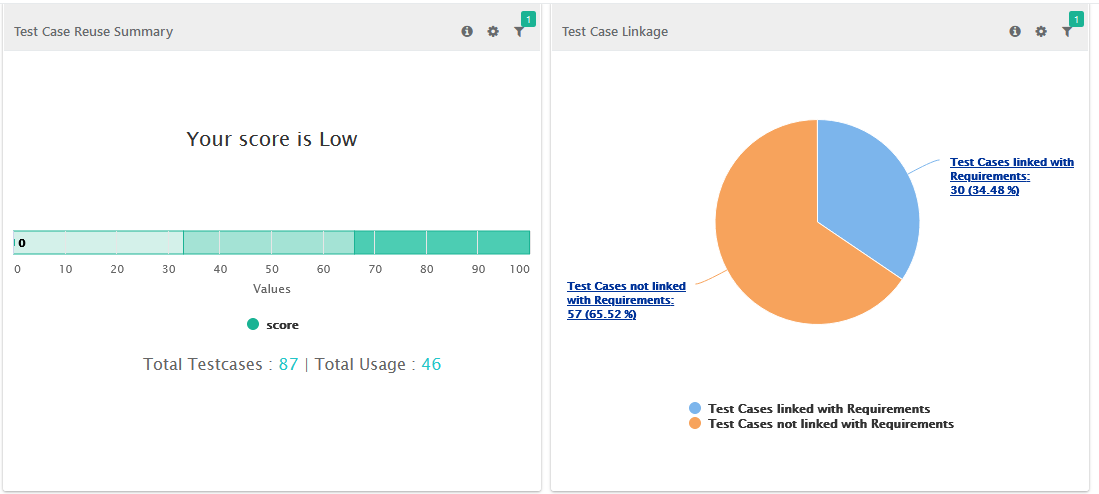 |
The pie chart displays the proportion of Test Cases linked with Requirements vs. Test Cases not linked with Requirements.
Test Cases linked with Requirements: Test cases linked most frequently to requirements.
Test Cases not linked with Requirements: The test cases not linked with requirements.
The report shows how test cases are used overall and highlights those that are not reused. It also helps you understand the test case reusability ratio.
The pie chart shows the number and percentage of test cases linked and not linked to requirements. The scale on the left shows the reusability grade: Low, Good, or Very Good.
Formula for calculating percent =
Math.round(((Total References - Total Test Cases)/Total References)*100)
If test case reusability improves, the faster rate is also shown based on the formula.
Formula for calculating Faster Rate =
Math.round(Total References/Total Test Cases)
The report also displays test cases in grid with columns Priority, Status, Testing Type, Test Category, and Usages. The details help users analyze which test cases are reused more than others.
Global Filters
You can use global filters to apply unified filters for project across all reusability reports.

Test Cases linked with Requirements
Filter Report:
Click the Filter icon on the individual chart to generate the required report.
Test Cases not linked with Requirements
The section lists out test cases not linked to any requirement yet.
Filter Report:
Click the Filter icon on the individual chart to generate the required report.
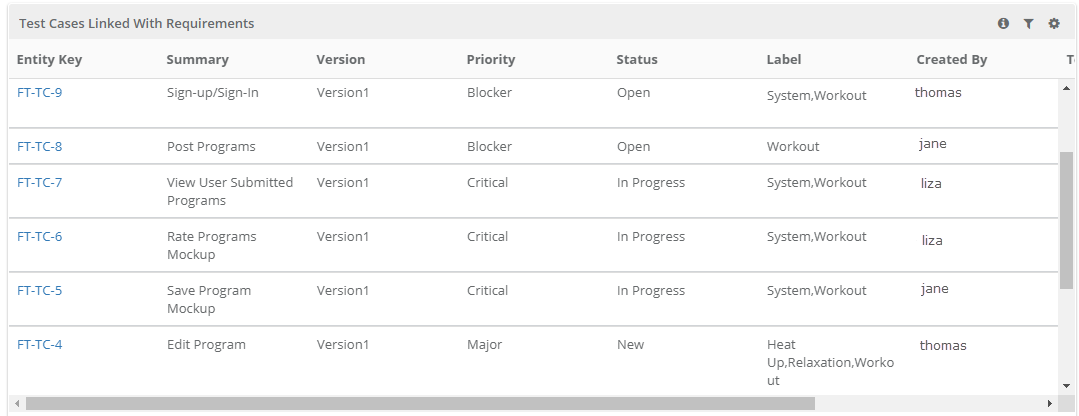
Test Cases Linked with Requirements
The section displays list of test cases which are linked maximum times with requirements. The grid also shows the reusability count of respective test case.
Filter Report
Click the Filter icon on the individual chart to generate the required report.
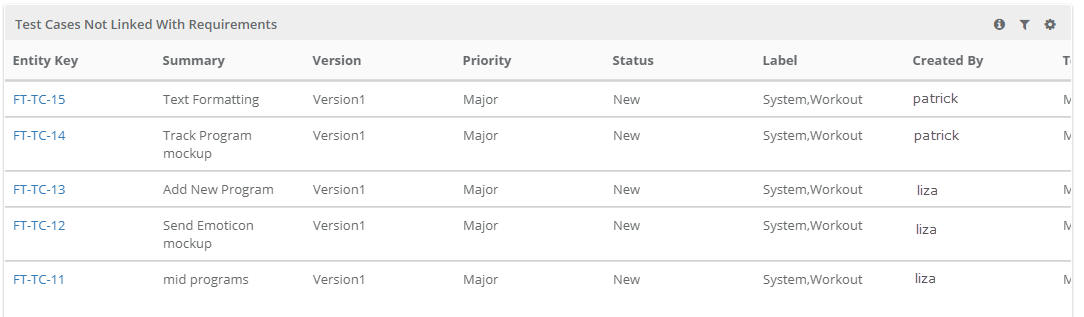
Test Cases not linked with Requirements
The section lists out test cases which are not linked to any requirement yet.
 |
Filter Report
Click the Filter icon on the individual chart to generate the required report.