Risk Traceability for Test Cases
Generate the Risk Traceability Report for test cases after completing risk analysis and entering the required details to calculate the extent of testing.
To access the Risk Traceability for Test Cases Report, perform the following steps:
Go to QMetry System Reports.
Select Risk Traceability for Test Cases
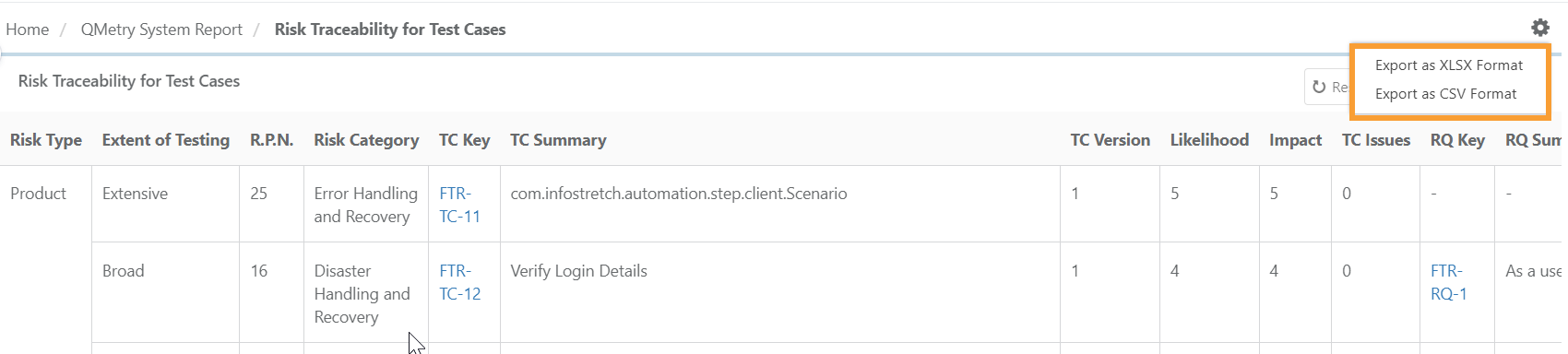
The Risk Traceability Report shows all the test cases' records for which the field values for Risk Analysis are available.
Exporting Risk Traceability for Test Cases
To export ‘risk traceability for test case’ report follow these steps:
Click the cog icon (⚙️).
Select your preferred export format:
Export as XLSX format
Export as CSV format
To download the file, click Scheduled Tasks icon, click download.