Disabling/Uninstalling QMetry Add-on In Jira
Before you Begin
Confirm the following before proceeding:
You have Jira administrator permissions.
You are signed in to Jira as the user who established the QTM integration, or as another Jira administrator.
Disable/Uninstall QMetry add-on in Jira
To temporarily disable the QMetry Jira Integration, perform the following steps:
In Jira, select the gear icon in the top navigation bar, and then select Manage Apps.
On the Manage apps page, find QMetry add-on in the list of installed apps.
Select the app name to expand its details.
Select Disable to diable the add-on or Uninstall to uninstall the add-on.
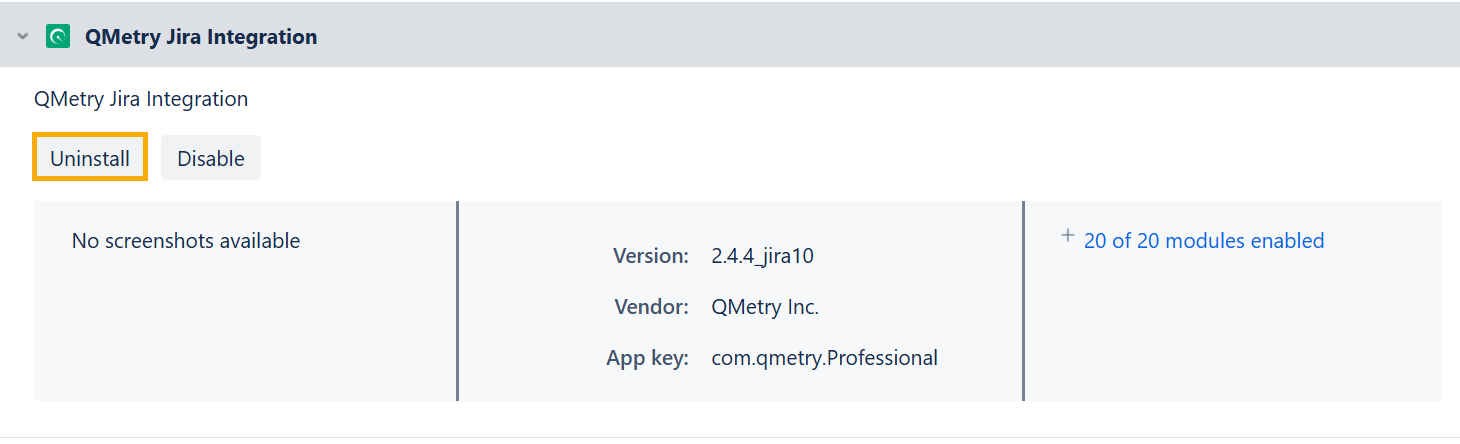
Implications of Disabling QMetry Jira Integration
Disabling pauses the integration without removing the app or its configuration. When you disable the integration:
Syncing between Jira and QTM stops immediately.
Existing synced data is preserved.
All app modules are disabled.
The app remains installed, and the configuration is retained.
You can re-enable the integration at any time without reconfiguring.
Note
Disabling is reversible. Use this option when you need to pause the integration temporarily.
Implications of Uninstalling QMetry Jira Integration
Uninstalling removes the QMetry Jira Integration app from Jira entirely. When you uninstall, the following happens:
Syncing between Jira and QTM stops immediately.
The app, all its modules, and all its configuration are removed from Jira.
The app no longer appears in the list of installed apps on the Manage apps page.
Existing data in Jira and QTM is not deleted, but it will no longer sync.
To use the integration again, you must reinstall the app and complete a full setup.
Note
Uninstalling is irreversible. You cannot undo this action. All app configuration is permanently removed from Jira. To reconnect, you must reinstall the app and perform a full setup.