Requirement Report
The Requirement Report provides standard matrices for Product Managers, Business Analysts, QA Managers, and Scrum Masters to view coverage and execution status for a selected scope (Project, Release, and Cycle).
Select multiple projects from the drop-down to generate the report for them.
You can select only one Release and Cycle at a time.
If you select only the Project, the report uses the latest version of the requirement.
If you select only the Project, the report uses the latest version of the requirement.
Global Filters
You can apply unified filters for project, cycle, and release across all requirement reports using global filters.
 |
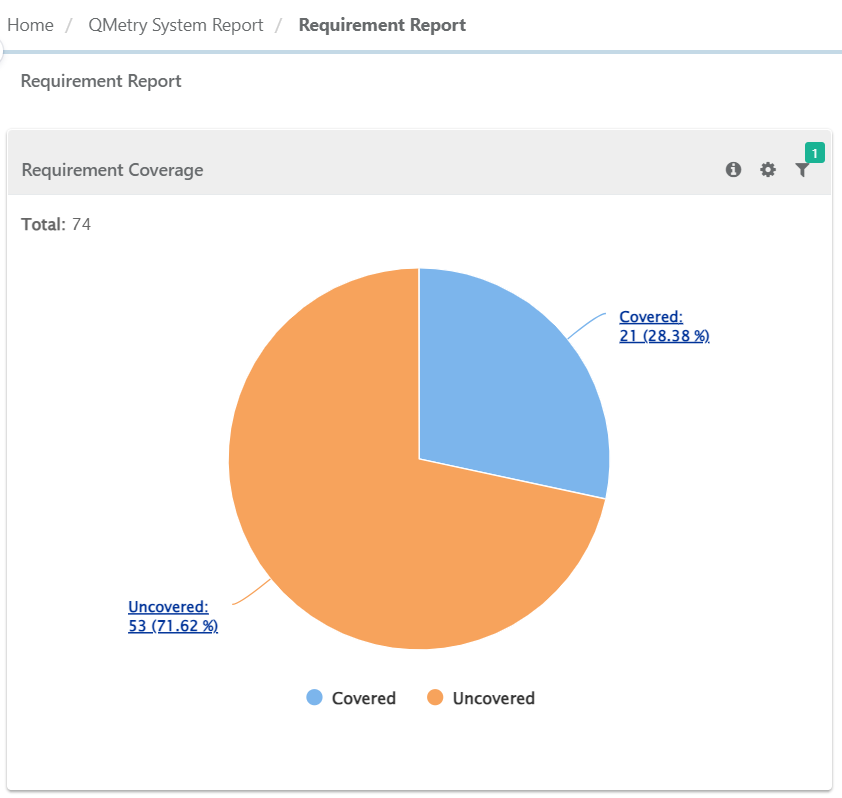
Requirement Coverage
The report summarizes requirements by coverage status based on test case links. A requirement is covered if it is linked to one or more test cases.
 |
Filter Report
You can apply unique filters on the individual chart by clicking on the filter icon.
Requirement Reports
Requirement reports show the following matrices:
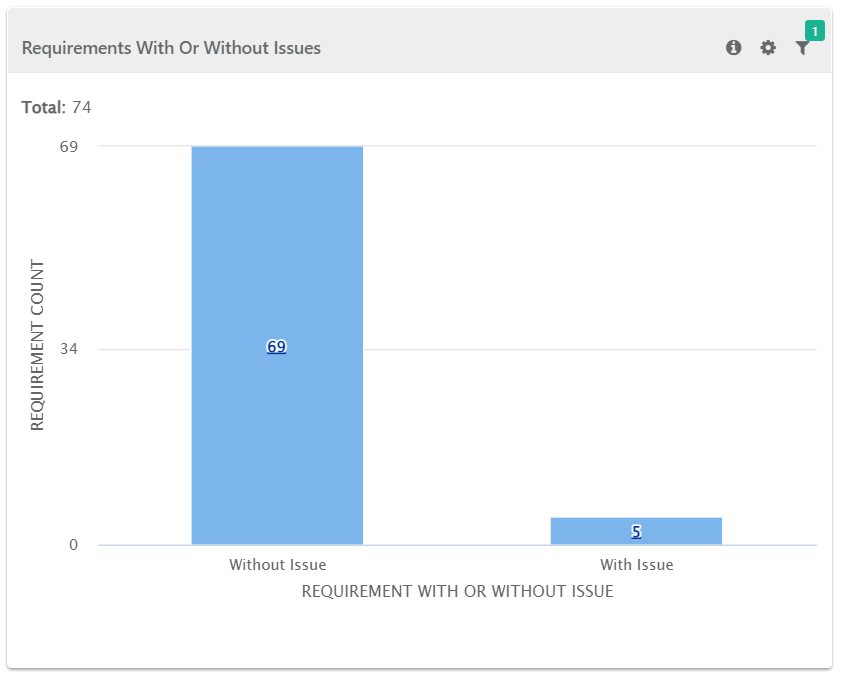
Requirement With Issues
The report summarizes requirements linked to issues. It counts issues linked to test cases that are linked to requirements. These issues may be directly linked to test cases or raised during execution.
 |
Filter Report:
You can apply unique filters on the individual chart by clicking on the filter icon.
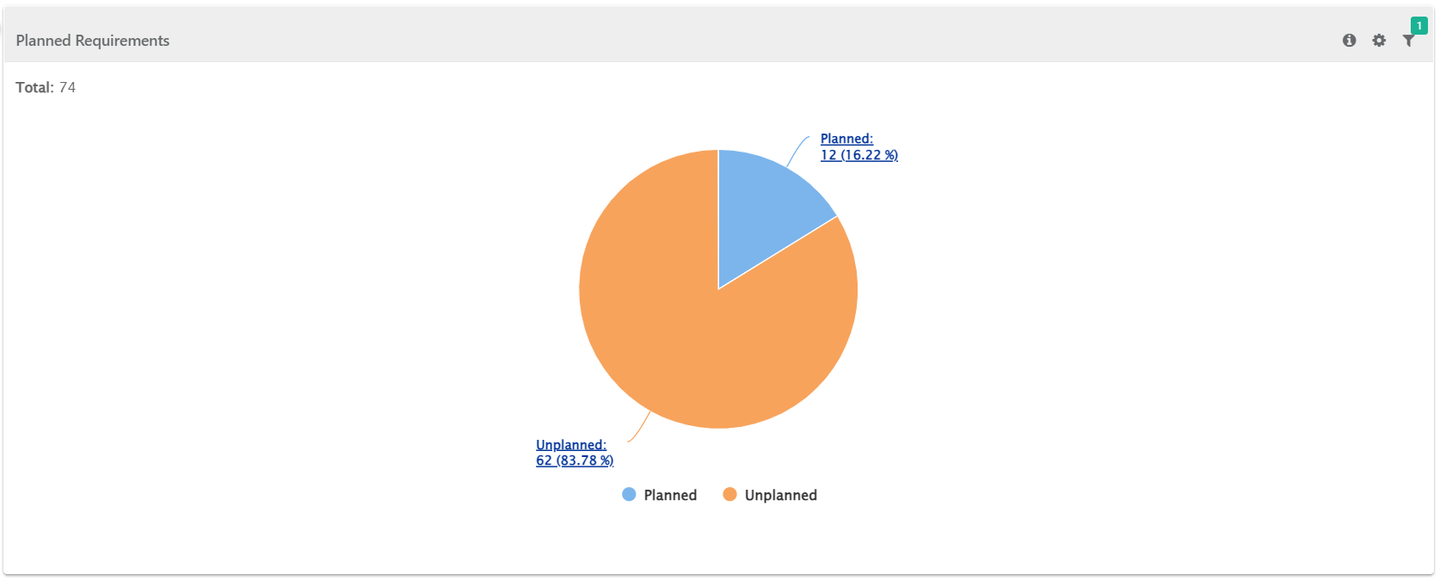
Planned Requirements
The report shows summary of requirements Planned or Unplanned for execution. A requirement would be considered as planned once all the test cases linked to it are added to a Test suite.
 |
Filter Report:
You can apply unique filters on the individual chart by clicking on the filter icon.
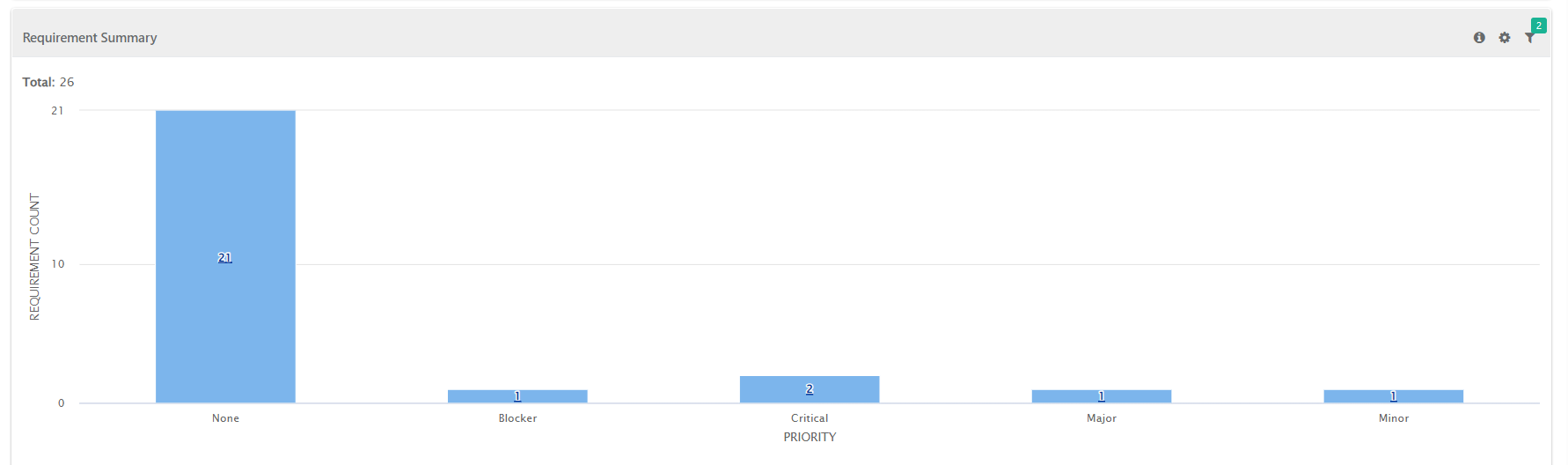
Requirement Summary
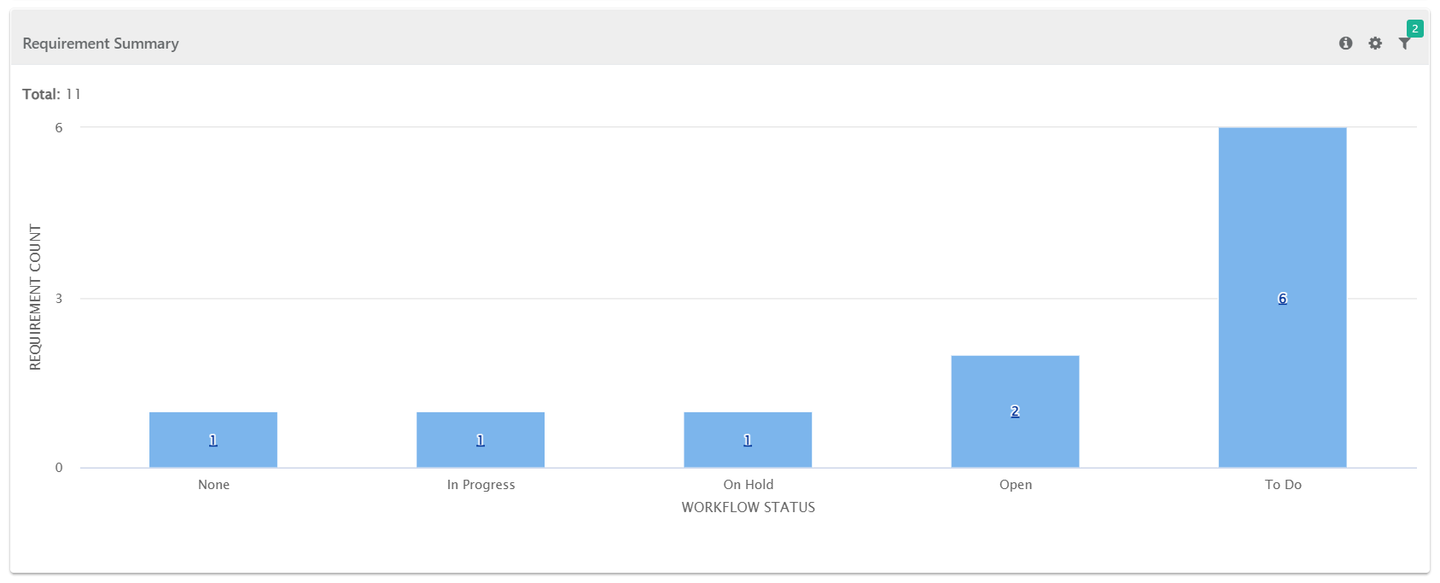
The report shows summary of requirements grouped by their workflow status or priority.
Requirement Summary by Workflow Status
Requirement Summary by Priority