Test Case Report
The Test Case Report provides standard matrices for QA managers and testers. It gives a summary of automation coverage, execution coverage, and test cases affected by bugs for a selected Project, Release, and Cycle.
You can generate the report for multiple projects by selecting more than one project from the drop-down. However, you can select only one release and cycle at a time.
If you select only the Project, the report uses the latest test case version.
If you select Release or Cycle with the Project, the report uses the test case version linked to that Release and Cycle.
Global Filters
You can use global filters to apply unified filters for project, release, cycle and testing type across all test case reports.
 |
Test Case Reports Matrices
Manual Vs Automated
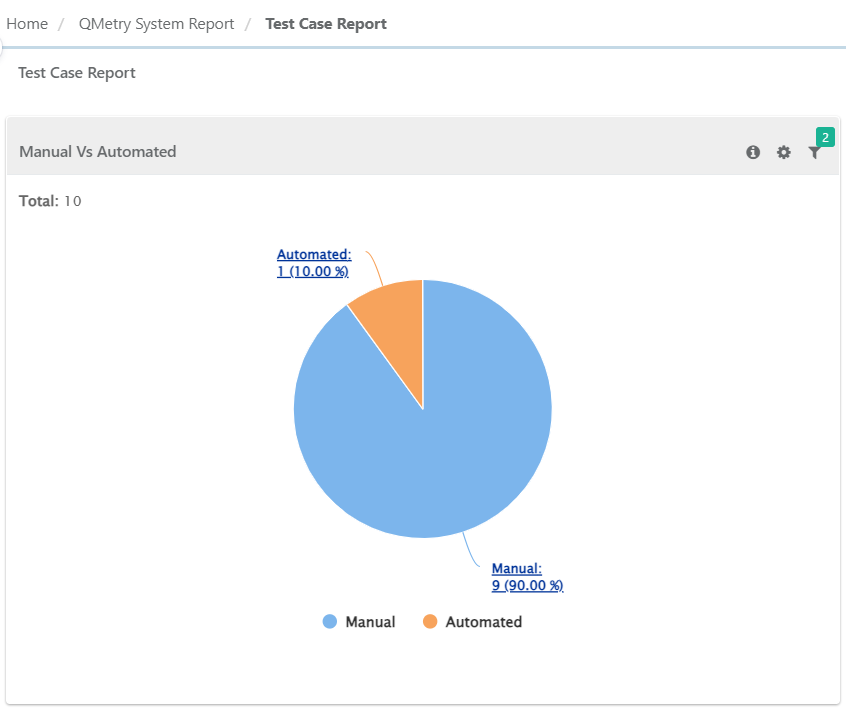
The report shows a summary of manual and automated test cases based on the Testing Type. QMetry assigns the type based on how you create the test case.
If you create or import a test case through the QMetry UI, the system marks it as Manual. If automation creates the test case, the system marks it as Automated.
 |
Filter Report
Click the Filter icon on the individual chart to generate the report as per requirement by applying multiple filters.
Planned Test Cases
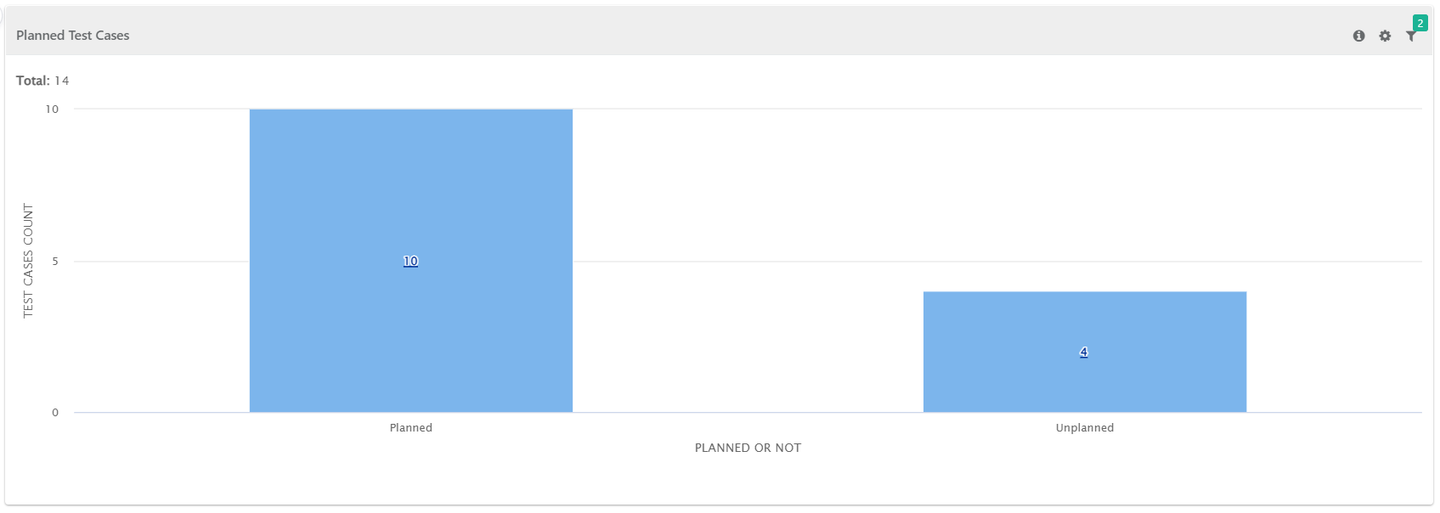
The report shows summary of test case planned or unplanned for execution. Test Cases those are linked with test suites are "Planned" for execution. Test case those are not linked with test suites are considered "Unplanned" for execution.
Filter Report:
Click the Filter icon on the individual chart to generate the report as per requirement by applying multiple filters.
Test Cases with or without Issues
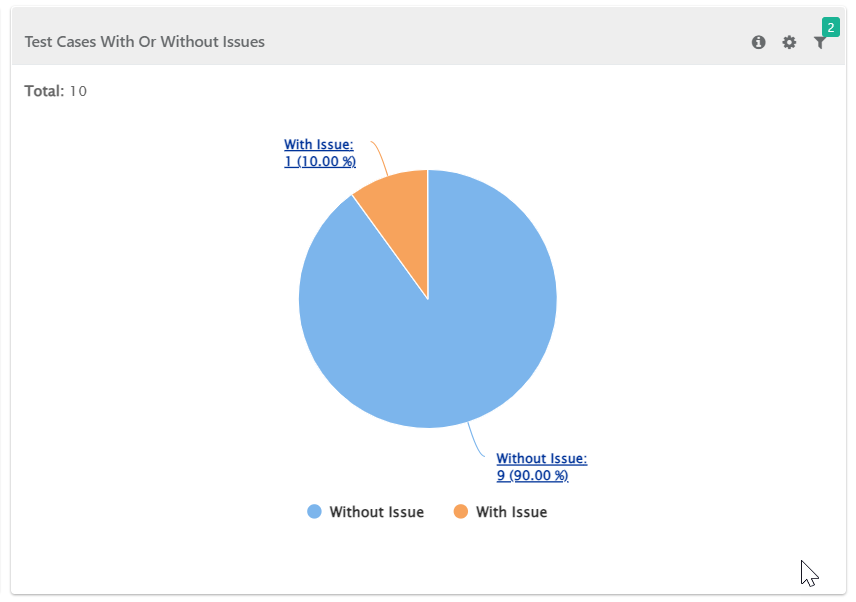
The report shows a summary of test cases linked to issues during execution and test cases without linked issues. You can filter the report by Release and Cycle. The system does not include issues linked at the test step level.
Test Cases with Issues
The report shows summary of test cases associated with issues - either linked directly to the test cases or captured during execution. You can filter the report based on a combination of Release and Cycle.
Note
The system does not consider the Issues linked at test step level for this report.
 |
Filter Report
Click the Filter icon on the individual chart to generate the report as per requirement by applying multiple filters.
Test Case Summary
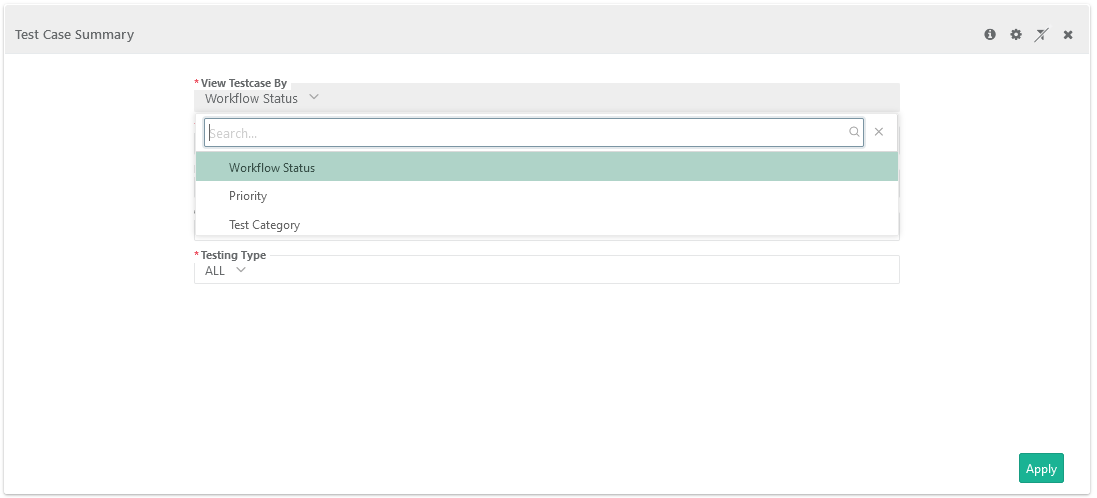
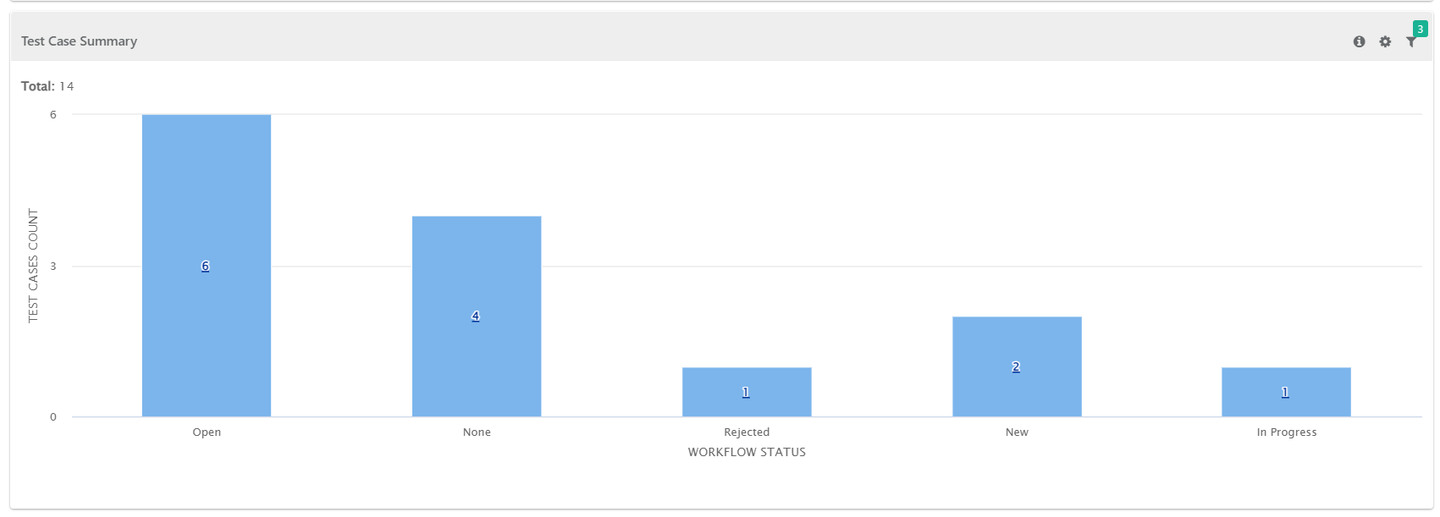
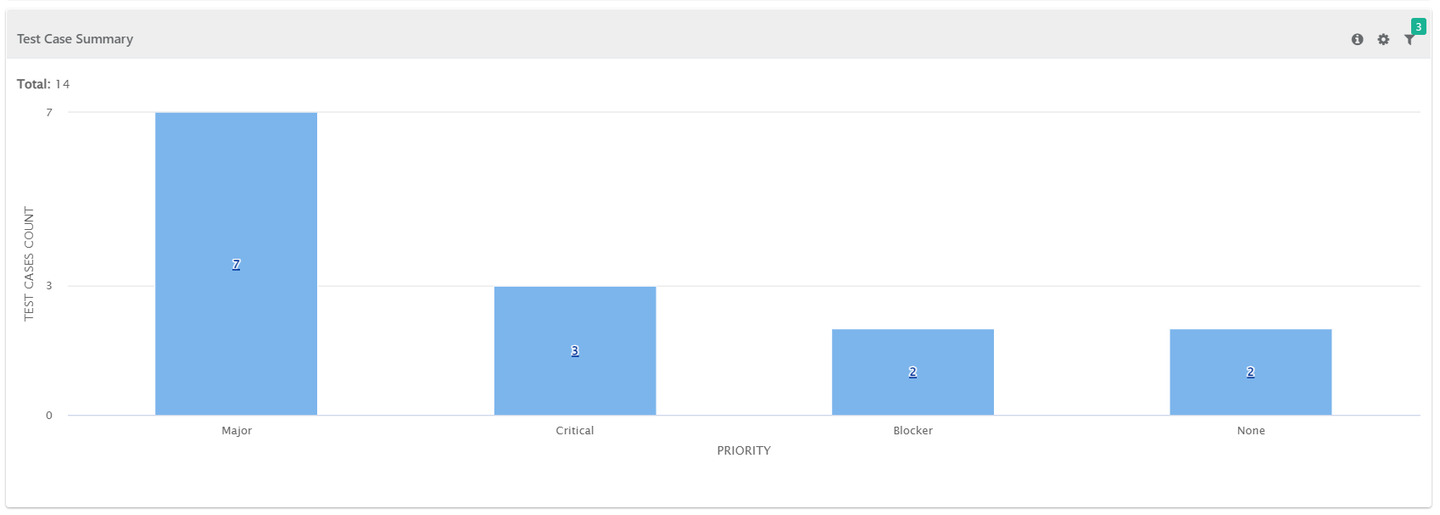
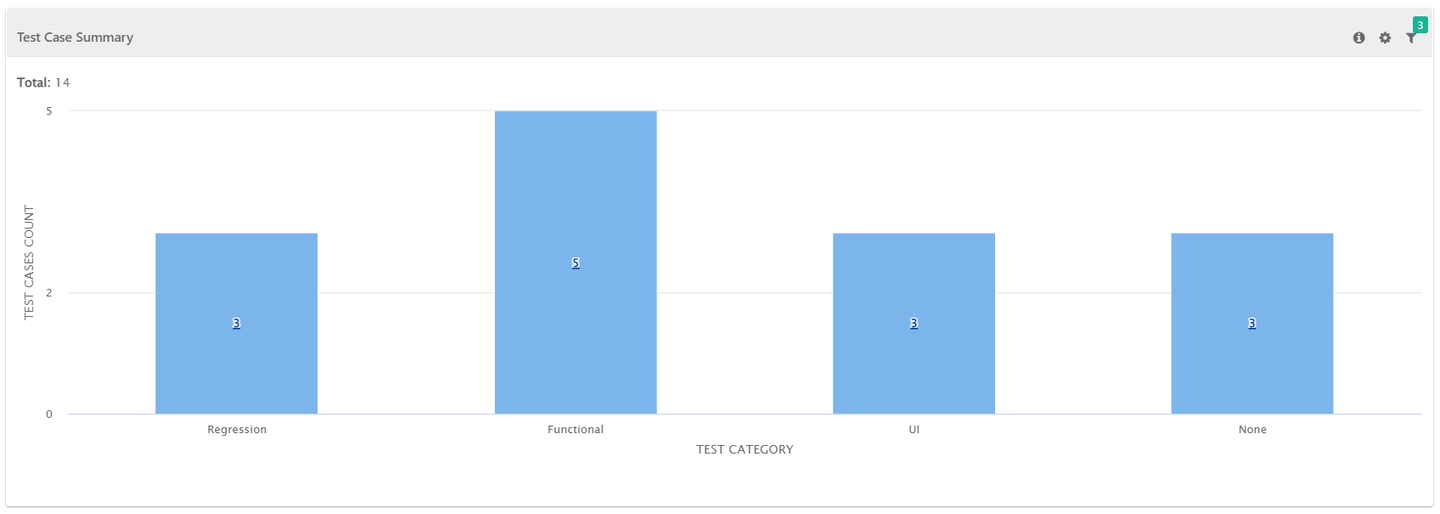
The report shows summary of test cases grouped by their workflow status/priority/test category.
Test Case Summary by Workflow Status
 |
Test Case Summary By Priority
 |
Test Case Summary by Test Category
 |
Filter Report:
Click the Filter icon on the individual chart to generate the report as per requirement by applying multiple filters.