Installing Redis Caching Server for Online Installations
Note
QMetry is supporting Redis from version 7.0.10 onwards. Currently, the Docker will be installed with Redis version 7.4.1.
Pre-requisites
One additional Linux server is required for Redis Caching Server. Refer QMetry Deployment Document for the requirements.
Get the QMetryRedis.zip file from QMetry Support.
The port 6379 should be free and should not be in use by other applications.
Steps to install Redis Caching Server for Online Installations
Copy the QMetryRedis.zip installation file received from QMetry Support to your server and unzip it. Go to the directory where these files are saved.
unzip QMetry_Linux_Installer.zip
cd QMetry_Linux_Installer
Execute the following commands.
sudo su
chmod +x install.sh
./install.sh
The next question during the installation process will be as follows.
Options
Allowed Values
Default Value
Recommended Value
Do you want to make an online installation (Y/N)?
Y, y, N, n
Y
Y
The installer then displays the QMetry Installation Menu. Enter 4 to install the QMetry Redis.
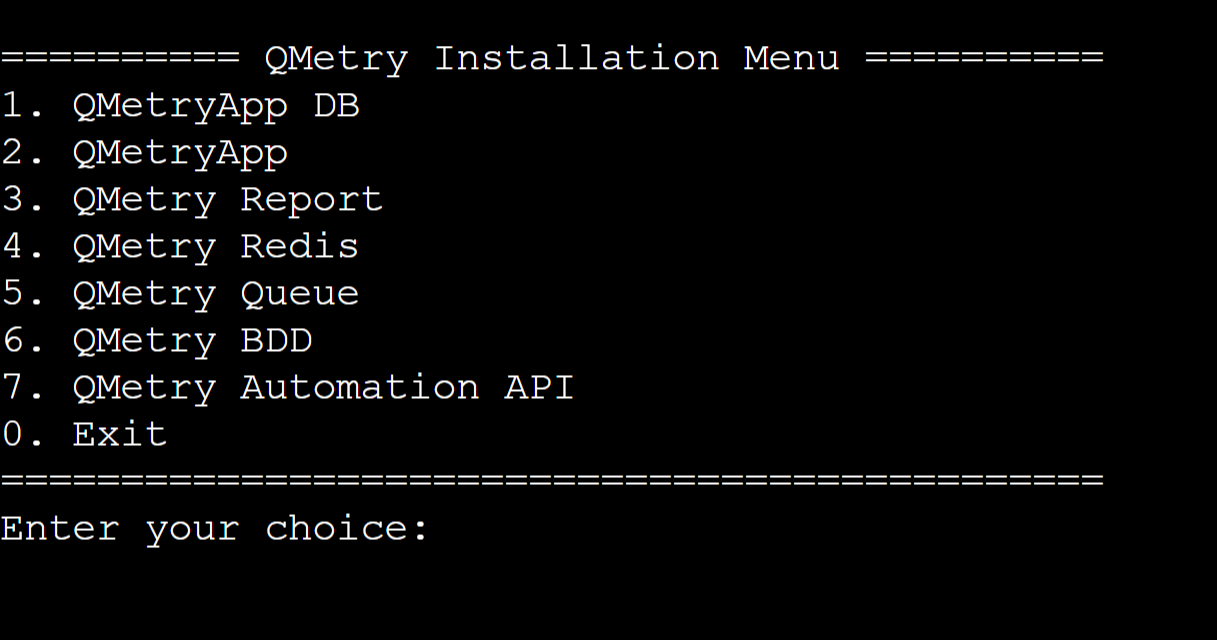
You will be asked for credentials. Enter the docker credentials provided by the support team.
The installation may take a while. Once the installation is complete, execute the following command.
docker ps
Log into QMetry application.
Go to "Admin" Profile and Edit the Profile.
Update QMetry Redis URL
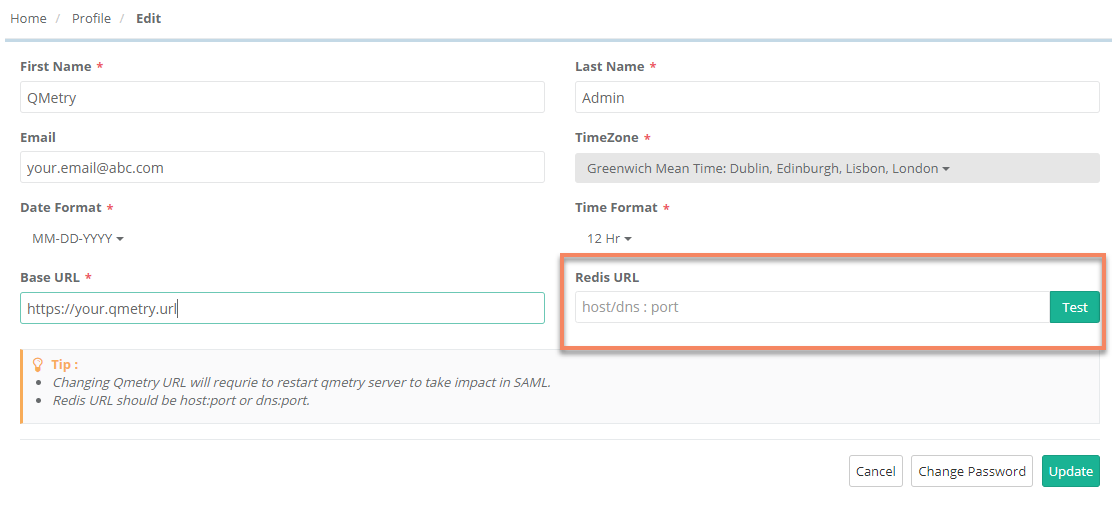
For more details on Redis, visit https://redis.io/
Configure the Redis with QMetry Application as mentioned in Step 3. If you are facing any issues from the QMetry Application side after Step 3 , then you may be required to restart the QMetry Application docker container after Step 3 .
If you are facing any issues during the installation process, kindly generate a support ticket on Support Portal for assistance.